In today’s fast-paced academic world, Indian students are constantly juggling deadlines, complex research, and the pressure to excel. Imagine having a world-class, intelligent assistant working by your side 24/7—helping you brainstorm ideas, write code, summarize lengthy research papers, and even organize your projects. This is no longer a futuristic dream. Google has rolled out a revolutionary offer that puts this power directly into your hands. This is your ultimate guide to getting free Google Gemini AI for Indian students, an opportunity that could redefine your entire college experience.
If you are a student in India, this is the most exciting news you will hear this year. Let’s dive deep into what this offer is, what you get, and a step-by-step walkthrough to claim your free access.
Table of Contents
ToggleFirst, What Exactly is Google Gemini?
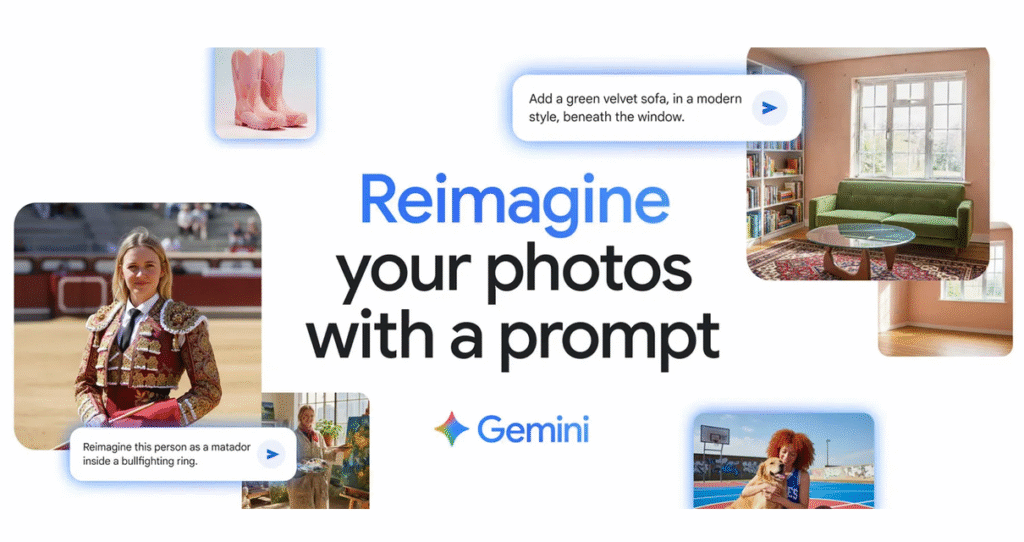
Before we jump into the offer, let’s clarify what Google Gemini is. It’s not just another chatbot. Gemini is Google’s most advanced and capable family of AI models. What makes it special is its multimodal nature, meaning it can understand and work with not just text, but also images, audio, video, and code.
Think of it as the engine behind Google’s AI-powered tools. The most powerful version, available through this student offer, is Gemini 2.5 Pro. It’s designed for complex reasoning, deep research, and creative collaboration, making it the perfect co-pilot for academic and professional growth.
The Game-Changing Offer: One Year of Google AI Pro, Absolutely Free
Google is providing a complimentary one-year subscription to its premium Google AI Pro plan for all eligible higher-education students in India.
What’s the Value? This plan typically costs ₹19,500 for a year. You get it for ₹0.
What’s the Catch? There isn’t one. It’s a promotional offer to empower students. You just need to verify your student status.
What’s the Deadline? This offer is not permanent. You must register and claim your free subscription by September 15, 2025.
This initiative is a significant investment by Google in India’s future generation, providing access to premium technology that can level the playing field for students across the country.
What Features Are Unlocked with the Free AI Pro Plan?
Claiming this offer unlocks a powerful suite of tools designed to make your student life easier, more productive, and more creative. Here’s a detailed look at what you get.
1. The Power of Gemini 2.5 Pro for Your Academics
This is the core of the offer. With Gemini 2.5 Pro, you can move beyond simple questions and tackle complex academic tasks.
Supercharge Your Research: Instead of spending hours sifting through papers, ask Gemini to “Summarize this 50-page PDF on climate change into 10 key bullet points” or “Compare and contrast the economic policies of the 1990s and 2010s in India.”
Ace Your Assignments: Struggling with writer’s block? Use it to “Brainstorm three different essay topics about the impact of social media on youth” or “Help me create an outline for a presentation on blockchain technology.”
Conquer Coding and Math: For STEM students, this is a lifesaver. Ask it to “Debug this Python script for my data analysis project” or “Explain the concept of differential equations with a simple, real-world example.”
2. Gemini Integrated into Your Favourite Google Workspace Apps
The true magic happens when Gemini’s intelligence is infused into the tools you use daily.
Google Docs: Draft entire essays, create project proposals, check grammar, or rephrase paragraphs to sound more professional. Simply open the Gemini side panel and give your command.
Gmail: Drowning in emails? Gemini can summarize long email threads for you. Need to write a formal application for an internship? It can draft a polite and professional email in seconds.
Google Sheets: Stop struggling with complex formulas. Just describe what you want to do in plain English, like “Create a formula to calculate the average grade for each student,” and Gemini will generate it for you. It can also help you create project plans and timelines.
Google Slides: Generate stunning images for your presentations just by describing them. It can also create speaker notes and summarize your presentation to ensure you cover all key points.
3. A Massive 2TB of Cloud Storage
Forget ever seeing that dreaded “Storage Full” notification again. The plan includes a massive 2 terabytes (that’s 2,000 GB!) of cloud storage across Google Drive, Gmail, and Google Photos. This is an enormous amount of space, enough to safely store:
All your course notes, assignments, and project files.
Thousands of research papers and e-books.
Your entire high-resolution photo and video library from your college years.
Backups of your important personal files.
Step-by-Step Guide: How to Claim Your Free Google Gemini AI
Ready to unlock your AI assistant? The process is straightforward. Here’s exactly what you need to do.
Step 1: Check Your Eligibility
Before you begin, ensure you meet the simple criteria:
You must be enrolled in an accredited college or university in India.
You must be 18 years of age or older.
You must have a personal (non-institutional) Google account.
Step 2: Visit the Official Offer Page
Navigate to the official Google One student offer webpage. This is the only place to claim the offer.
Step 3: Verify Your Student Status with SheerID
Google uses a secure, third-party service called SheerID to verify that you are an active student.
You will be prompted to enter your name, college/university name, and date of birth.
You may be asked to upload a document as proof, such as a current student ID card (with an expiry date), a school schedule, or an official enrollment letter.
The verification process is usually quick, often taking just a few minutes.
Step 4: Add a Payment Method (No Charges Apply)
You will be required to add a valid payment method, like a credit or debit card. Do not worry, you will not be charged anything for the first 12 months. This is a standard procedure for subscriptions to manage the renewal process.
Crucial Tip: Set a reminder in your calendar for a week before your one-year trial ends. Google will notify you, but having your own reminder will help you decide whether you want to cancel the subscription or continue with a paid plan, ensuring you avoid any unwanted charges.
Step 5: You're All Set!
Congratulations! You now have full access to the Google AI Pro plan. Explore the features, integrate Gemini into your workflow, and start studying smarter.
Frequently Asked Questions (FAQ)
Q: Will I be charged automatically after one year? Yes, if you do not cancel, your subscription will automatically renew at the standard price. Make sure to set a reminder to review your subscription before the trial ends.
Q: What happens to my 2TB of data if I cancel? If you cancel, your storage will revert to the standard 15GB free plan. You will not lose your files, but you won’t be able to add new ones if you are over the 15GB limit. You will need to download your data or purchase a new storage plan.
Q: Can I use this for non-academic work, like a personal project or startup idea? Absolutely! Once you have the plan, you can use the AI tools and storage for any of your projects, be it academic, personal, or entrepreneurial.